結果
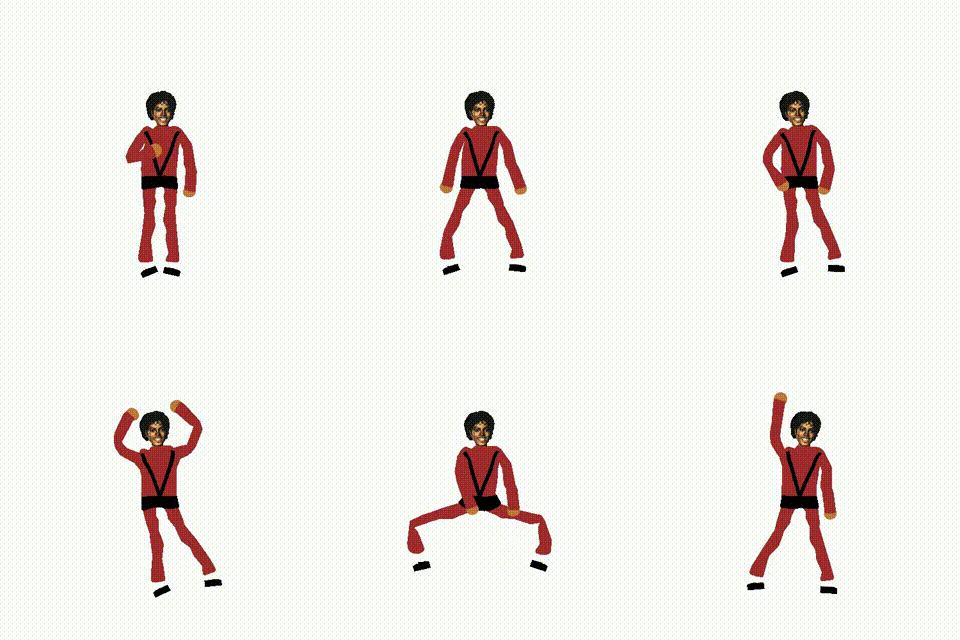
環境
Ubuntu 20.04 on WSL2 (Windows 11)
CUDA 11.6.2
Python 3.8
方法
VideoTo3dPoseAndBvh
YouTube動画からモーションファイル(拡張子:bvh)を作成しました。こちらを使わせて頂きました。github.com
まずはリポジトリをクローンして学習済みパラメーターをサイトに書かれている通りダウンロードします。
「./joints_detectors/Alphapose/fn.py」を少し変更する必要があります。
変更前
line  9: from torch._six import string_classes, int_classes
line 60: elif isinstance(batch[0], int_classes):
line 64: elif isinstance(batch[0], string_classes):
変更後
(remove line 9)
elif isinstance(batch[0], int):
elif isinstance(batch[0], str):
「./outputs」フォルダ内に「outputvideo」フォルダを作成します。
以上で「VideoTo3dPoseAndBvh」が使えるようになります。
Animated Drawings
さらにそれを「Animated Drawings」で使用するのにも一苦労ありました。「VideoTo3dPoseAndBvh」で作成したBVHファイルを「mj.bvh」とrenameしました。motionを定義するyamlファイルを「motion_mj.yaml」として以下のような内容にしました。filepath: examples/bvh/mj.bvh
groundplane_joint: LeftFoot
forward_perp_joint_vectors:
- - LeftArm
- RightArm
- - LeftUpLeg
- RightUpLeg
scale: 0.025
up: +y
次にretargetを定義するyamlファイルを「retarget_mj.yaml」として以下のような内容にしました。
char_starting_location: [0.0, 0.0, -0.5]
bvh_projection_bodypart_groups:
- bvh_joint_names:
  - RightArm
  - RightForeArm
  - RightHand
  - LeftArm
  - LeftForeArm
  - LeftHand
  method: pca
  name: Upper Limbs
- bvh_joint_names:
  - RightUpLeg
  - RightLeg
  - RightFoot
  - LeftUpLeg
  - LeftLeg
  - LeftFoot
  method: pca
  name: Lower Limbs
- bvh_joint_names:
  - Hips
  - Spine
  - Spine3
  - Neck
  method: frontal
  name: Trunk
char_bodypart_groups:
- bvh_depth_drivers:
  - Hips
  char_joints:
  - right_shoulder
  - left_shoulder
  - right_hip
  - left_hip
  - hip
  - torso
  - neck
- bvh_depth_drivers:
  - LeftHand
  char_joints:
  - left_elbow
  - left_hand
- bvh_depth_drivers:
  - RightHand
  char_joints:
  - right_elbow
  - right_hand
- bvh_depth_drivers:
  - LeftFoot
  char_joints:
  - left_knee
  - left_foot
- bvh_depth_drivers:
  - RightFoot
  char_joints:
  - right_knee
  - right_foot
char_bvh_root_offset:
  bvh_projection_bodypart_group_for_offset: Lower Limbs
  bvh_joints:
  - - RightFoot
    - RightLeg
    - RightUpLeg
  - - LeftFoot
    - LeftLeg
    - LeftUpLeg
  char_joints:
  - - left_foot
    - left_knee
    - left_hip
  - - right_foot
    - right_knee
    - right_hip
char_joint_bvh_joints_mapping:
  left_elbow: !!python/tuple
  - LeftArm
  - LeftForeArm
  left_foot: !!python/tuple
  - LeftLeg
  - LeftFoot
  left_hand: !!python/tuple
  - LeftForeArm
  - LeftHand
  left_knee: !!python/tuple
  - LeftUpLeg
  - LeftLeg
  torso: !!python/tuple
  - Hips
  - Spine3
  neck: !!python/tuple
  - Hips
  - Neck
  right_elbow: !!python/tuple
  - RightArm
  - RightForeArm
  right_foot: !!python/tuple
  - RightLeg
  - RightFoot
  right_hand: !!python/tuple
  - RightForeArm
  - RightHand
  right_knee: !!python/tuple
  - RightUpLeg
  - RightLeg
char_runtime_checks:
  - - above
    - neck
    - right_shoulder
    - left_shoulder
それらのyamlファイルを大元のyamlファイルに記述する必要があります。
scene:
  ANIMATED_CHARACTERS:
    - character_cfg: examples/characters/char60/char_cfg.yaml
      motion_cfg: examples/config/motion/motion_mj.yaml
      retarget_cfg: examples/config/retarget/retarget_mj.yaml

